Download the Official PHL789 App
๐ŸŽ Unlock Exclusive App Rewards

Download the official PHL789 app to enjoy exclusive mobile promotions, available welcome rewards, faster gameplay, and a smoother gaming experience.

๐Ÿ“ฒ Download Now
Create an account or sign in to check available promotions and eligible rewards.
โœ“ Popup dismissed
Deposit Guide โ€” Updated 2026 ยท 7 Payment Methods
Complete Guide

Complete PHL789 Deposit Guide for E-Wallets, Banks, and USDT

Everything you need to safely add funds to your PHL789 account through GCash, Maya, GoTyme, GrabPay, QRPH, Online Banking, or USDT โ€” explained step by step, with safety checks built in.

GCash QR Maya GoTyme GrabPay QRPH Online Banking USDT
Complete PHL789 Deposit Guide for E-Wallets, Banks, and USDT
7 Payment
Methods
Available Methods
๐Ÿ“ฑ
GCash QR PAY10 ยท PAY22 ยท PAY11
๐Ÿ’ณ
Maya PAY06 ยท PAY03 ยท PAY05
๐Ÿฆ
GoTyme PAY05
๐Ÿ›ต
GrabPay PAY12
๐Ÿ”ณ
QRPH PAY12
๐Ÿ›
Online Banking PAY12
โ‚ฎ
USDT TRC-20 Network
Before You Deposit

The PHL789 deposit section gives registered users several ways to add funds to their account. Current options include GCash QR, Maya, GoTyme, GrabPay, QRPH, USDT, and Online Banking.

01

The exact process can vary depending on the payment method and processing channel selected. Limits, available channels, and promotions may also change, so users should review the latest information shown on the platform before completing a transaction.

02

Use the payment information generated for the current transaction. Old QR codes, receiving accounts, wallet addresses, or other details should not be reused unless the same information appears again.

! Always follow the freshest payment details shown on your current deposit screen.
02

How the PHL789 Deposit Section Works

The cashier is where registered users choose a payment method, select a processing channel when required, enter an amount, review any available promotion, and follow the instructions provided for the transaction.

Some options use QR payments, while others rely on e-wallets, banking channels, or cryptocurrency. Because the process can differ by method, users should follow the information displayed for the current request.

Choose method
Select channel
Enter amount
Review promo
Follow instructions
03

Available Payment Methods and Limits

Each method may use a different processing channel and amount range.

Method
Channel
Amount Range
GCash QR
PAY10, PAY22, PAY11
โ‚ฑ100โ€“โ‚ฑ50,000
Maya
PAY06, PAY03, PAY05
โ‚ฑ50โ€“โ‚ฑ50,000
GoTyme
PAY05
โ‚ฑ50โ€“โ‚ฑ50,000
GrabPay
PAY12
โ‚ฑ100โ€“โ‚ฑ5,000
QRPH
PAY12
โ‚ฑ100โ€“โ‚ฑ50,000
Online Banking
PAY12
โ‚ฑ100โ€“โ‚ฑ50,000
USDT
USDT-TRC20
โ‚ฑ500โ€“โ‚ฑ5,000,000 transaction limit
04

Payment Method Details

Each deposit option has its own processing channel and amount range.

01

GCash QR

GCash QR currently provides several processing channels, including PAY10, PAY22, and PAY11.

Users can choose an available channel, select an amount, and follow the payment instructions shown for that transaction. Since QR codes or receiving details may change, older payment information should not be reused.

02

Maya

Maya is available for users who prefer an e-wallet option.

The current interface shows PAY06, PAY03, and PAY05 as available channels. Users should confirm the selected channel and amount before continuing.

03

GoTyme

GoTyme currently uses PAY05 as its available processing channel.

Users can select an eligible amount and follow the instructions generated for the current transaction.

04

GrabPay

GrabPay is also available through PAY12.

Its current amount range is lower than several other methods, so users should check the displayed limit before proceeding.

05

QRPH

QRPH is another option for users who prefer QR-based payments.

The current channel is PAY12. Users should make sure the QR details shown belong to the current transaction before completing the payment.

06

Online Banking

Online Banking is available through PAY12.

Users should follow the bank or recipient details displayed for the current transaction, since receiving information may change over time.

07

USDT

USDT is available through USDT-TRC20. The interface currently shows preset amounts up to โ‚ฑ1,000,000, with a displayed transaction limit of up to โ‚ฑ5,000,000. It also shows a reference exchange rate of 1 USDT = โ‚ฑ62.33.

Before transferring crypto, users should verify the wallet address, TRC20 network, converted amount, and current exchange rate. Because cryptocurrency transfers can be difficult to reverse, these details should be checked carefully before confirming the transaction.

For technical background on the TRC-20 standard used by tokens on the TRON network, users can refer to the TRON Developers' TRC-20 documentation, which includes USDT as an example of a TRC-20 token.


05

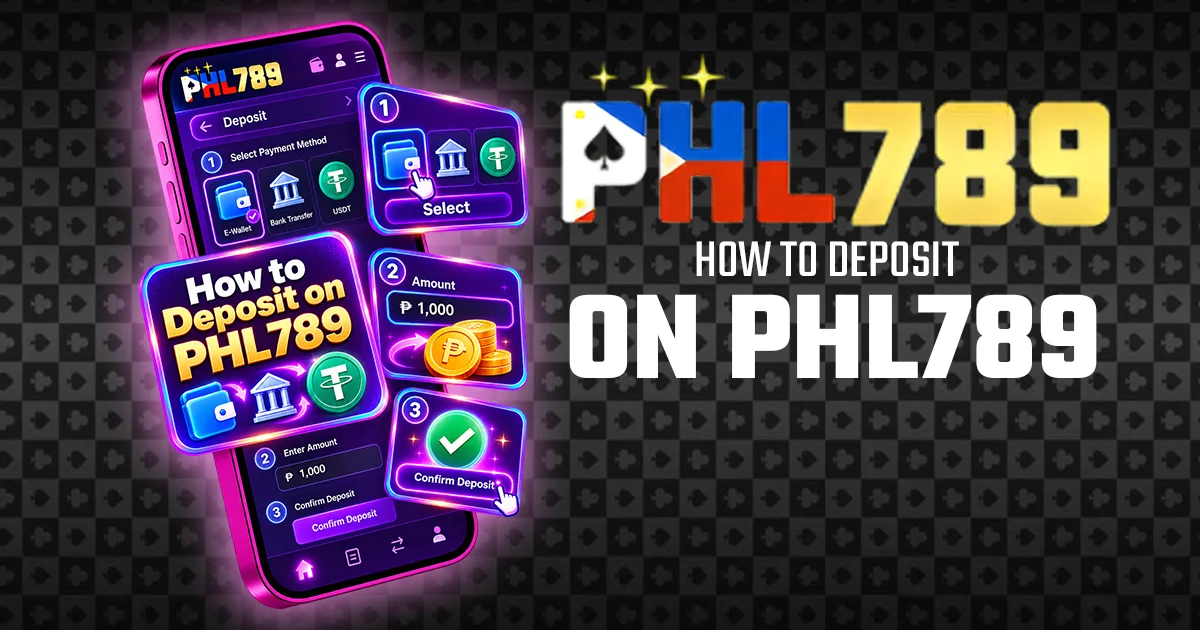
How to Deposit on PHL789

The general process is similar across most payment methods.

How to Deposit on PHL789 โ€“ step-by-step deposit guide
01

Log In

Access your registered PHL789 account and make sure you are using the correct profile.

02

Open the Cashier

Go to the deposit section to view the available payment methods, channels, and amount options.

03

Choose a Payment Method

Select GCash QR, Maya, GoTyme, GrabPay, QRPH, USDT, or Online Banking.

04

Select a Processing Channel

Some methods provide multiple channels. For example, GCash QR offers PAY10, PAY22, and PAY11, while Maya provides PAY06, PAY03, and PAY05.

05

Choose an Amount

Select one of the available preset values or enter an amount if the option is provided. Make sure it falls within the range shown.

06

Review Any Promotion

Check whether a promotion is selected and read its conditions before continuing.

07

Submit the Request

Confirm the selected method, channel, and amount. The platform should then provide the relevant payment instructions.

08

Complete the Payment

Use the selected wallet, bank, QR method, or cryptocurrency service to complete the transaction. Check the amount and recipient information before confirming.

09

Check Your Balance

Return to your account and confirm whether the funds have been credited. Keep the receipt or transaction reference until the payment is successfully reflected.

06

Promotions and Optional Offers

PHL789 may display promotions in the cashier when users add funds. Promotions are separate from the payment method itself โ€” if the cashier provides an option to continue without an offer, users can make a regular transaction instead.

Promo 01

Daily First Deposit Promotion

Before selecting the daily first-deposit offer, review details such as:

  • Minimum qualifying amount
  • Maximum promotional value
  • Eligible games
  • Turnover requirements
  • Claiming period
  • Daily eligibility
  • Account restrictions

The headline offer may not include every condition.

Promo 02

Deposit Cashback

The cashback option may have its own eligibility rules, calculation method, and crediting period.

Users should review the current terms before selecting it.

Before confirming any transaction, also check whether a promotion has already been selected automatically.

07

Important Payment and Safety Checks

The platform advises users to follow the latest deposit information shown for each transaction because receiving details may change. To reduce payment errors:

01
Use the Correct Platform โ€” Make sure you are on the current PHL789 site or app before starting a deposit.
02
Check the Amount โ€” Confirm the value before sending funds.
03
Use Fresh Payment Details โ€” Do not reuse an old QR code, receiving account, wallet address, or recipient information.
04
Check the Processing Channel โ€” Make sure the selected deposit channel is currently available.
05
Protect Account Credentials โ€” Never share your password, OTP, private wallet key, or other sensitive information.
06
Keep Your Receipt โ€” Save the transaction reference until the deposit has been credited.
07
Review Promotion Terms โ€” Understand any turnover or eligibility conditions before accepting an offer.
08
Check Crypto Information Carefully โ€” Verify the wallet address and blockchain network before sending USDT.

If the details differ from a previous deposit, users should follow the latest information displayed by the platform.

08

Troubleshooting Payment Problems

Pending and unsuccessful deposit transactions often involve similar checks, so users can review the common issues below before contacting support.

Payment still pending
Check whether the money has already been deducted and whether the provider still shows the transaction as processing.
Deposit not credited
Review your account history and confirm that the bank, wallet, or crypto service marks the payment as successful.
Incorrect deposit amount
Make sure the value is within the allowed range for the selected method.
Old payment details used
Check whether you used information from an earlier transaction instead of the latest details.
Payment channel unavailable
Select another active channel if one is available.
Bank or e-wallet delay
Wait for the first transaction to finish processing before attempting another payment.
Wrong USDT network
Make sure the sending wallet uses the same blockchain network required by the platform.
09

When to Contact Support

If a deposit remains unresolved after the expected processing period, users should contact the current PHL789 support channel.

Keep the following information ready:

  • Amount
  • Date and time
  • Payment method
  • Transaction reference
  • Screenshot or receipt
  • Current transaction status
!
Do not send the same payment again while the original transaction is still being checked, as this could create a duplicate payment.
10

Final Overview

The PHL789 deposit section currently supports GCash QR, Maya, GoTyme, GrabPay, QRPH, USDT, and Online Banking.

Each deposit method may have its own processing channel, amount range, and payment instructions. Before sending funds, users should check the current amount, recipient details, selected channel, and any promotion attached to the transaction.

After funds have been successfully credited, users who need to move funds out of their account can refer to the PHL789 Withdrawal guide for the current withdrawal process and available requirements.

Deposit methods, limits, channels, exchange rates, and offers may change over time โ€” the information shown on PHL789 at the time of the transaction should always take priority.